
Lift Station Remote Monitoring

Stop Guessing. Start Trusting Your Lift Station Alarms.

Your monitoring system should give you confidence. Not more uncertainty.

When an alarm fires at 2am, you need to know two things immediately: is this real, and did the call actually go through?

Too many operators are stuck with aging phone dialers that may or may not connect, generic IoT devices built for factory floors — not wet wells — or no remote monitoring at all. When a high-wet-well alarm goes unacknowledged, the margin between a normal night and a sanitary sewer overflow is measured in minutes.

The problem isn't that alarms happen. It's not knowing whether you can trust them.

The Verbatim Gen2 RTU

Lift station monitoring built around how operators work


The RACO Verbatim Gen2 is a cellular-connected remote monitoring unit designed specifically for lift stations and pump stations. It connects to your existing floats, pressure transducers, and pump controls, and pairs with RACO Monitoring Center (RMC), our cloud-based monitoring portal. Put real-time status and alarm history at your fingertips.

No SCADA system required. No software to install on a PC. No IT ticket to file. The Gen 2 ships pre-configured, installs in a few hours, and starts alerting your team the same day.

When something goes wrong, RACO contacts your operators by phone call, text message, and email.  In sequence, with escalation until someone acknowledges the alarm. You define who gets called, in what order, and under what conditions.
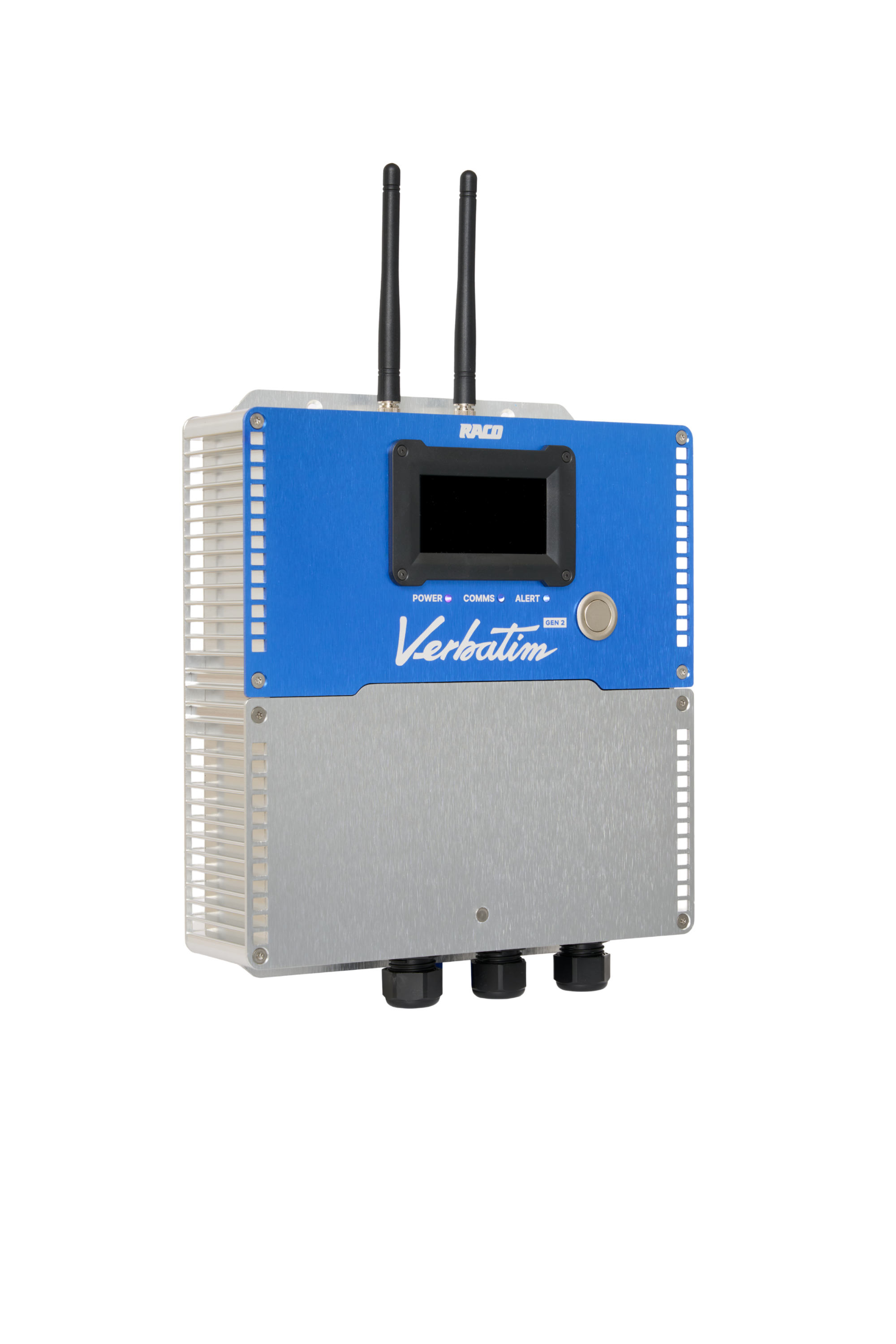
Verbatim Gen2 RTU

Alarms that reach someone.

The Gen 2 escalates through your contact list until an operator acknowledges. Phone call first. Then text. Then email. You choose the escalation path. No alarm falls through a dead dialer or a missed notification.

Cellular-connected

The Gen 2 uses cellular to communicate. There's no ethernet cable to run, no site network to configure, and no IT department to involve. If there's cell coverage at your lift station, you're covered.

Built for water and wastewater

RACO doesn't make generic industrial IoT devices. We make monitoring equipment for water and wastewater operators. The Gen 2 understands your inputs out of the box.

US-based support that knows your equipment

When you call RACO, you talk to someone in the US who has seen a lift station before. Not a call center reading from a script. If something's wrong with your install, we work through it with you.

How it works

Easy as 1, 2, 3.

Step 1

Connect the Gen 2 to your existing station inputs

Mount the enclosure, wire to your float switches, pressure transducer, pump contacts, and power — whatever inputs you have. The Gen 2 accepts dry contacts and analog signals. Most installs complete in two to four hours.

Step 2

Configure your team's alerts in RMC

Log into the RACO Monitoring Center portal and set your alarm thresholds, contact list, and escalation sequence. Add multiple operators with different schedules. Change settings anytime from any browser.

Step 3

Get real-time alerts when conditions go out of range

When a threshold is crossed, RMC triggers your alert sequence immediately. Phone call, text, email, in the order you chose. Alarm history and site status are always visible in the RMC portal, whether you're in the office or on the road.

What it monitors

The RACO Gen 2 monitors the conditions that matter at a lift station or pump station — configured for your specific setup.

  • High and low wet well level (float switch or pressure transducer)
  • Pump run status (lead, lag, and standby)
  • Power failure and restoration
  • Phase loss / phase reversal
  • High temperature
  • Intrusion / door contact
  • Generator run status and fuel level
  • Custom analog inputs (4–20 mA)
  • Runtime hours and pump cycle counts
  • Any other sensor that is digital or analog

Get in touch

Need assistance?

icon_blue_locate
Locate your representative

Want to talk to a friendly, local RACO expert? Simply enter your zip code.

icon_blue_quote
Request a quote

We're more than happy to offer a bespoke quote for your unique needs.

icon_blue_support
Get support

Is there anything else we can help you with?