

TEMP ALERT Login: Complete Guide to Accessing & Managing Your Remote Monitoring System


TEMP ALERT Login: Complete Guide to Accessing & Managing Your Remote Monitoring System
For wastewater professionals and facility managers, having immediate access to critical system data is non-negotiable. The TEMP ALERT login portal serves as your gateway to comprehensive remote monitoring capabilities, enabling real-time oversight of your operations. This detailed guide will walk you through everything you need to know about accessing and maximizing your TEMP ALERT system.
What is TEMP ALERT?
TEMP ALERT is RACO Manufacturing & Engineering's advanced cloud-based monitoring platform that provides real-time alerts and data logging for critical infrastructure systems. This sophisticated solution enables operators to monitor equipment status, receive instant notifications, and access historical data from anywhere with an internet connection.
Accessing Your TEMP ALERT Login
To access your TEMP ALERT system, follow these essential steps:
- Navigate to the secure TEMP ALERT login page
- Enter your authorized username
- Input your password
- Select your facility (if managing multiple locations)
- Click "Login" to access your dashboard
First-Time Login Instructions
New users will need to complete a one-time setup process:
| Step | Action | Notes |
|---|---|---|
| 1 | Receive Welcome Email | Contains temporary credentials |
| 2 | Access Temporary Link | Valid for 24 hours |
| 3 | Create Password | Must meet security requirements |
| 4 | Set Up 2FA | Enhanced security measure |
Key Features Available After TEMP ALERT Login
Dashboard Overview
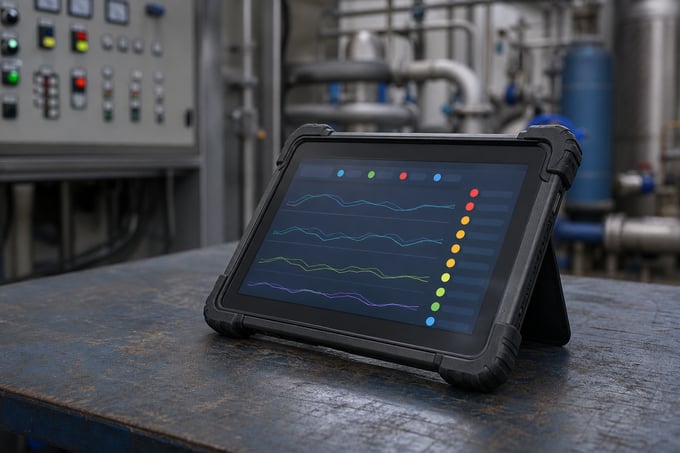
Upon successful login, users gain access to a comprehensive dashboard featuring:
- Real-time system status indicators
- Current alarm conditions and acknowledgment status
- Historical data trends and analysis tools
- Custom report generation capabilities
- User management settings
Alert Configuration
The alert configuration section allows users to customize notification parameters including:
| Alert Type | Configuration Options |
|---|---|
| Temperature Alerts | High/low thresholds, delay times, notification methods |
| Equipment Status | Operating parameters, maintenance intervals, performance metrics |
| System Warnings | Communication failures, power issues, sensor malfunctions |
Security Features and Best Practices
TEMP ALERT implements multiple layers of security to protect your critical infrastructure data:
Authentication Protocols
The system utilizes industry-leading security measures including:
- Two-factor authentication (2FA)
- SSL encryption for data transmission
- Role-based access control
- Automatic session timeouts
Password Management
To maintain system security, users should:
- Change passwords every 90 days
- Use complex combinations of characters
- Never share login credentials
- Enable notification of unauthorized access attempts
Troubleshooting TEMP ALERT Login Issues
Common login issues can typically be resolved through these steps:
| Issue | Solution |
|---|---|
| Forgotten Password | Use the "Reset Password" function on the login page |
| Account Lockout | Contact system administrator after multiple failed attempts |
| Browser Compatibility | Use recommended browsers (Chrome, Firefox, Safari) |
Mobile Access and Remote Capabilities
TEMP ALERT's mobile-optimized interface ensures seamless access from any device. Users can:
- Monitor systems via smartphone or tablet
- Receive push notifications for critical alerts
- Access real-time data on the go
- Manage multiple facilities from one interface
Integration with Other RACO Systems
TEMP ALERT seamlessly integrates with other RACO monitoring solutions including:
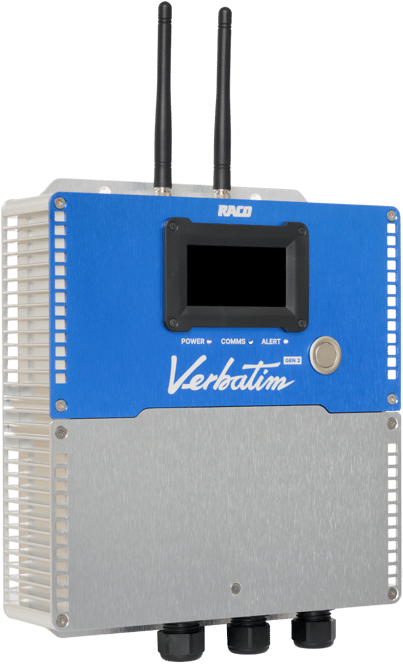
- Verbatim Remote Monitoring Systems
- Catalyst Interactive Monitoring Platform
- Guard-It Environmental Monitoring Systems
Support and Resources
RACO provides comprehensive support for TEMP ALERT users through:
- 24/7 technical support hotline
- Online documentation and user guides
- Regular system updates and improvements
- Training webinars and tutorials
Conclusion
The TEMP ALERT login portal is your gateway to comprehensive remote monitoring capabilities. By following the guidelines outlined in this article, users can ensure secure access to their critical system data while maximizing the platform's powerful features. For additional support or to learn more about TEMP ALERT's capabilities, contact RACO's technical support team.
Recommended Internal Links:
- Remote Monitoring Solutions
- Wastewater Management Systems
- Industrial Automation Controls
- SCADA Integration
- Alarm Notification Systems