Tip of the Month: Integrating RACO Catalyst with Micrologix PLCs

1 min read
Posted by Eric

Interfacing RACO’s Catalyst  system with Allen-Bradley’s MicroLogix PLCs allows Catalyst to use existing wiring for alarm notifications and data logging. The following tips will get you started:

1. Assemble your components: For proper setup, you will need RACO’s Catalyst system and Alarmware software, Allen-Bradley’s MicroLogix PLC and RSLogix software and the coordinating cables from each company.

2. Set up MicroLogix communications: Connect MicroLogix to your PC with the cable, then launch the RSLogix software. Using the software, set the communications driver to Modbus RTU slave and select the proper PLC data files.

3. Set up Catalyst Communications: Launch the Alarmware software, then connect Catalyst to your PC with the cable. Using Alarmware, configure the device and channel settings.

4. Construct the SNA (source network address): Configure your channels to communicate, then assign them to your project.

Find step-by-step instructions, plus some hand charts and diagrams, at RACO’s Support Center.

Verbatim® Gen2 | Live demo

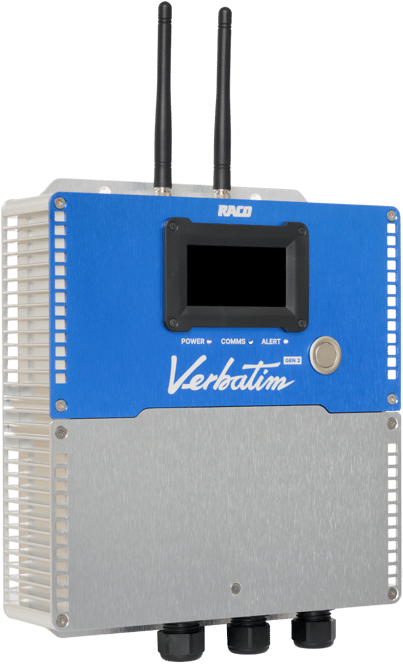
Meet the next generation of Verbatim.

Verbatim Gen2 is RACO’s flagship cellular RTU, with satellite fallback so the alarm still reaches you when the cell network drops. Bring one site to a 30-minute call and see it set up while you watch.
  • 70,000 RTUs in the field
  • Since 1948 Built in the USA
  • 31 years Oldest known unit
Verbatim Gen2 RTU

Related blog posts

Newsletter

Subscribe to our newsletter

Get in touch

Need assistance?

icon_blue_locate
Locate your representative

Want to talk to a friendly, local RACO expert? Simply enter your zip code.

icon_blue_quote
Request a quote

We're more than happy to offer a bespoke quote for your unique needs.

icon_blue_support
Get support

Is there anything else we can help you with?